December 13, 2009

Play Age of Empire II - The Conqueror 1.0 Online Vietnamese

 Trước hết các bạn phải có bản Empire cài sẵn trong máy, đây là link down 9 parts, các bạn chỉ việc download tất cả 9 parts này bỏ chung 1 thư mục, sau đó sử dụng Winrar để giải nén cùng lúc 9 parts, các bạn sẽ có 1 thư mục Age of Empires - The Conqueror, bạn vào trong và mở thử mục age2_1x rồi mở file Age2_1x.exe (nhớ chọn nút "I Accept" nếu được hỏi), hoặc khi mở GameRanger, nếu yêu cầu xác định đường dẫn đến game Empire bạn chỉ việc chỉ ra địa chỉ file exe trên. Sau đây là link down 9 parts(ngày 14-1-2010 hết hạn)

part1
part2
part3
part4
part5
part6
part7
part8
part9

Step 1: Tải GameRanger tại đây
Step 2: Install GameRanger


 Click nút Install


GameRanger sẽ tải và cài bản cập nhật mới nhất vào máy


Click nút Next


Click nút Next


Click nút Agree


Điền một địa chỉ e-mail hợp lệ của bạn; và tạo mất khẩu khi đăng nhập GameRanger; Click nút Next


Cứ nhấn nút Next


Chọn Click a new account sau đó click nút Next


Điền nickname hiển thị trên game, tên đầy đủ của bạn và click nút Next


Chọn múi giờ thích hợp và click nút Next


Chọn lựa chọn 2 (... un-cut) và click nút Next


Tài khoản bạn đã được tạo, nhưng hãy khoan click nút Next, hãy vào hộp thư e-mail của bạn để xác nhận


Mở mail của GameRanger và nhấn vào link kích hoạt theo hình


Sau khi nhấn link kích hoạt, nếu trình duyệt direct đến hình trên là bạn đã hoàn tất. Hãy quay lại dialog cài đặt GameRanger và click nút Next
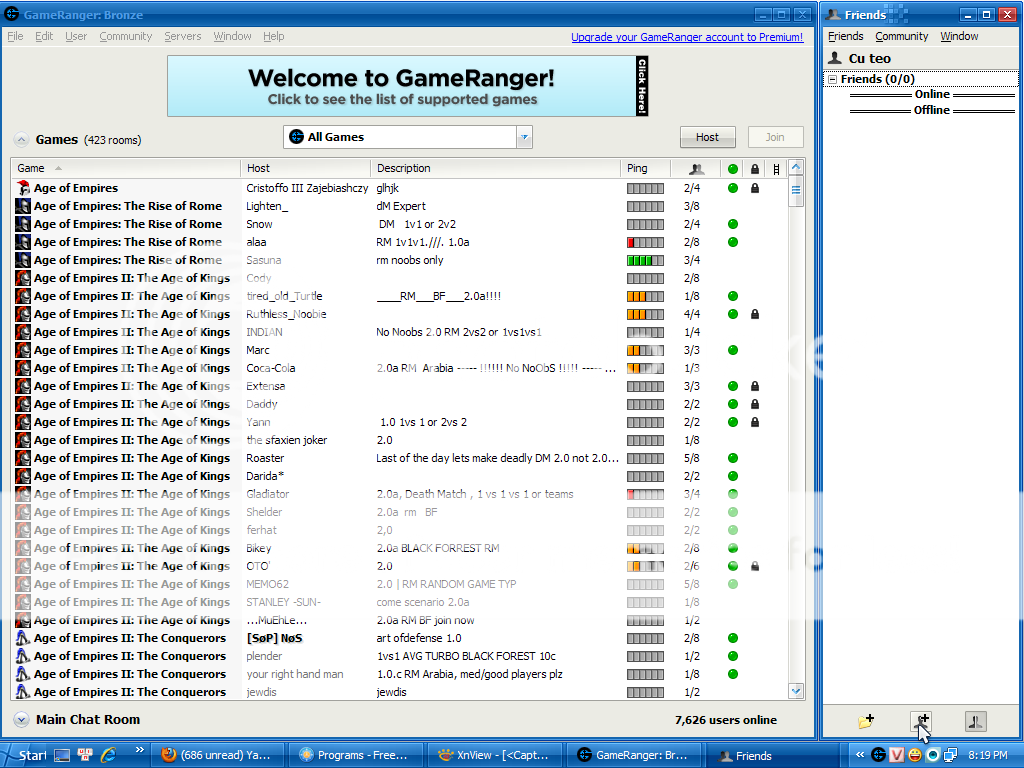


Màn hình chính của GameRanger sẽ xuất hiện, nhìn vào con trỏ chuột để add một nick người bạn


Bạn có 3 lựa chọn để Search người bạn, hãy chọn cái thích hợp nhất, điền thông tin, click nút Search và lựa chọn nickname chính xác và click Add Friend


Dialog friend có chức năng tương tụ như một chương trình chat thông dụng, chúc các bạn có một thời gian chơi game vui vẽ!!!

October 27, 2009

How to config Eclipse CDT for C/C++ with MinGW compiler

In this topic, i will show you how to config Eclipse CDT for C/C++ with MinGW Compiler on the Windows 32bit Operating System.

Note: If you use the Windows 64bit OP, you should installed the Java for 64bit OP; luckily, the Java website is now automatically do this for you. And you have to install the MinGW for 64bit OP, unfortunately, you have to choose the right install package.

First, Eclipse is a program based on Java technology, so if you want to run Eclipse, you must have the Java Virtual Machine - JVM. You can download at:


Just click to the Free Java Download button. After you installed Java, just Refresh the download java page (sometimes you have to click the Test your Java Virtual Machine (JVM) link), and it will notice if you have successfully installed the JVM.

Second, you have to get the Eclipse for C/C++


Choose the Eclipse IDE for C/C++ Developers package, after you have downloaded, just extract the ZIP package to the location you want (remember to create a shortcut of eclipse.exe file to desktop).

Third, you have to download MinGW Compiler. Just read the link below, the guide is clear...


After all, you just run the Eclipse IDE, choose a Workbench and go to your Workbench, Create a new C/C++ project File>New>C or C++ Project


Select the Executable>Empty Project for a basic DOS application. If you see the MinGW GCC in the Toolchains dialog, it means that you have successfully installed the MinGW Compiler. Click Next button.


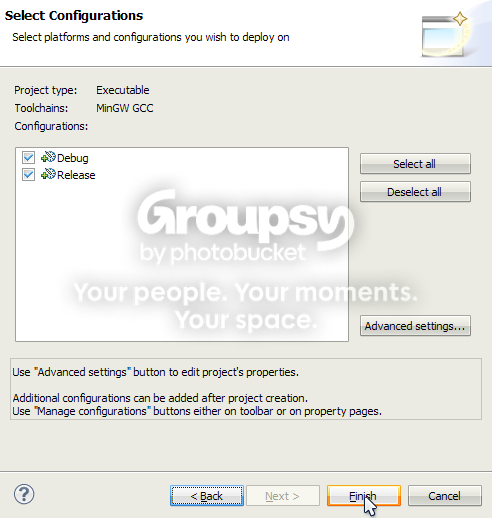
Just use the default selection, then click Finish button. If you click the Advanced settings... button, make sure you know what you are going to do.


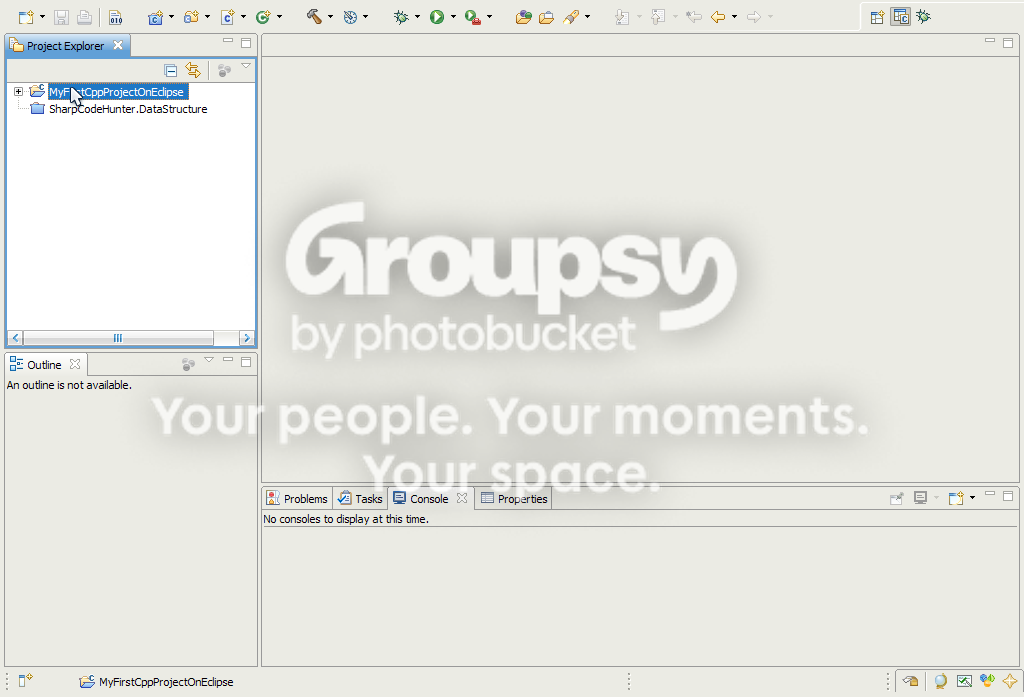
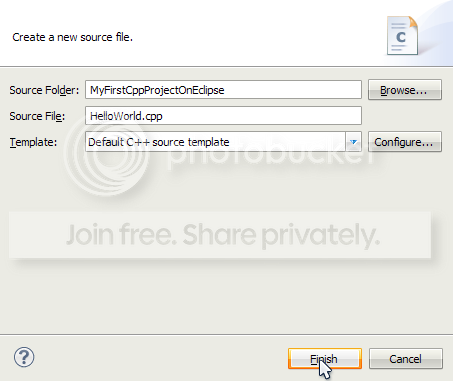
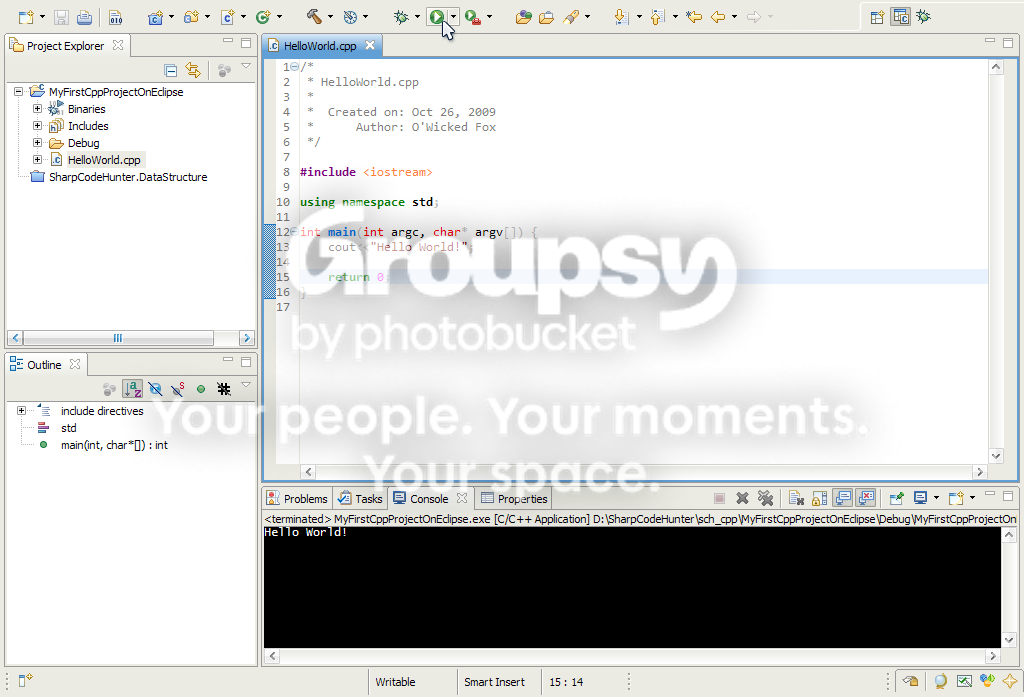
Now, right-click on the project that you have created, then choose New>Source File to create a new C/C++ source file. Enter a name for this file HelloWorld.cpp


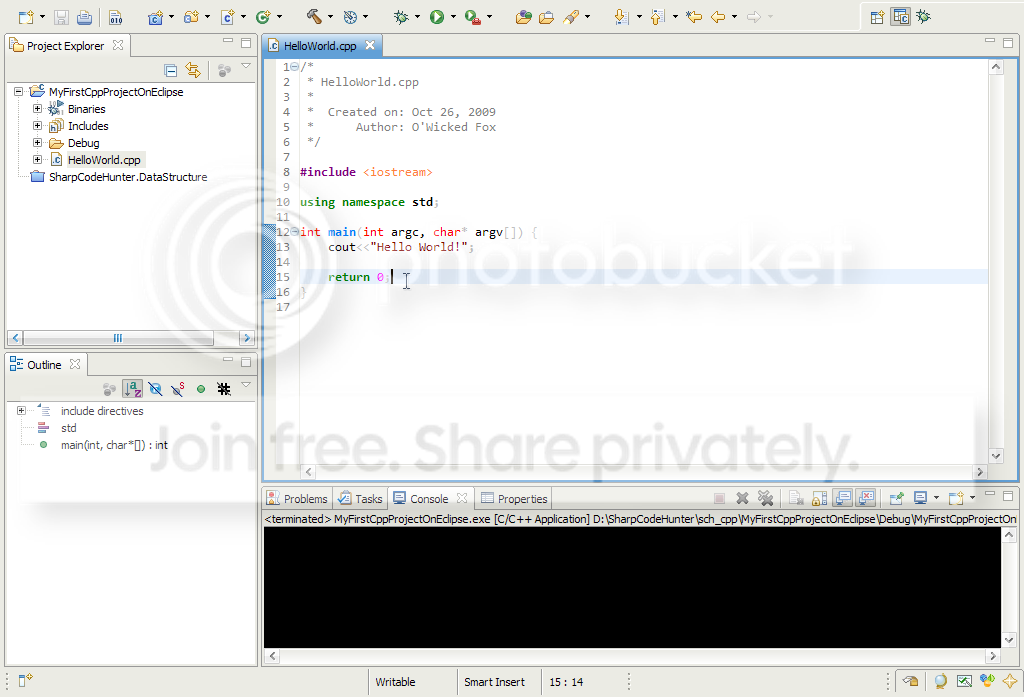
Now write a sample code below...


Press Ctrl-S to save the source file and Ctrl+B to build the project. Then click the Ctrl+F11 to execute the project.


That is all, in next topic, I will show you how to debug the C/C++ application using the MinGW Debugger. 

Good luck!

October 26, 2009

My first Blog

After a long time, now i have found a new home to begin. As a programmer, i know that is was too late to create a blog... but i think it's only just begun. In my blog you can view all of my programming-studying life and also some of my favourite about multimedia entertainment like Rock, Movies. At this time, i am doing my best for my university exam, just about next month. After a boring year, hearing complains over and over again from my family, my company but that is life, tomorrow will be better, i think. I am studying C++ now, because it a main factor in my next exam and because i like it. Before that, i have a good vision and skill with .Net and Java technologies. I think C++ is very complicated, yeah that it is. I have researched many of books, websites and i have chosen a IDE that is good for me Eclipse for C/C++. I knew it sounds ridiculous, but i love it, yes i do; Code::Blocks is great too, but I like the way Eclipse teaches me how to config, write and compile a C++ application. During all of my boring programming time,  a guitar have to be always by my side. After a year of Dream Theater, now i have discovered a new air Queensryche. These guys are geniuses, the stream of music is awesome included the great voice of Geoff Tate. Yeah. how cool it is to play and sing some of their songs!

That is all, folks! Hope that you can image/shape/figure or something about me now :D