In this topic, i will show you how to config Eclipse CDT for C/C++ with MinGW Compiler on the Windows 32bit Operating System.
Note: If you use the Windows 64bit OP, you should installed the Java for 64bit OP; luckily, the Java website is now automatically do this for you. And you have to install the MinGW for 64bit OP, unfortunately, you have to choose the right install package.
First, Eclipse is a program based on Java technology, so if you want to run Eclipse, you must have the Java Virtual Machine - JVM. You can download at:
Just click to the Free Java Download button. After you installed Java, just Refresh the download java page (sometimes you have to click the Test your Java Virtual Machine (JVM) link), and it will notice if you have successfully installed the JVM.
Second, you have to get the Eclipse for C/C++
Choose the Eclipse IDE for C/C++ Developers package, after you have downloaded, just extract the ZIP package to the location you want (remember to create a shortcut of eclipse.exe file to desktop).
Third, you have to download MinGW Compiler. Just read the link below, the guide is clear...
After all, you just run the Eclipse IDE, choose a Workbench and go to your Workbench, Create a new C/C++ project File>New>C or C++ Project

Select the Executable>Empty Project for a basic DOS application. If you see the MinGW GCC in the Toolchains dialog, it means that you have successfully installed the MinGW Compiler. Click Next button.
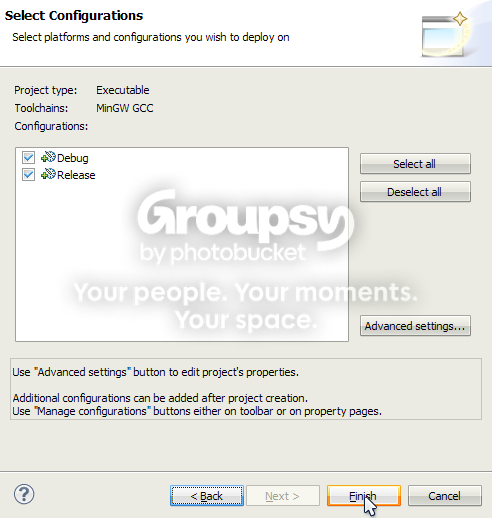
Just use the default selection, then click Finish button. If you click the Advanced settings... button, make sure you know what you are going to do.
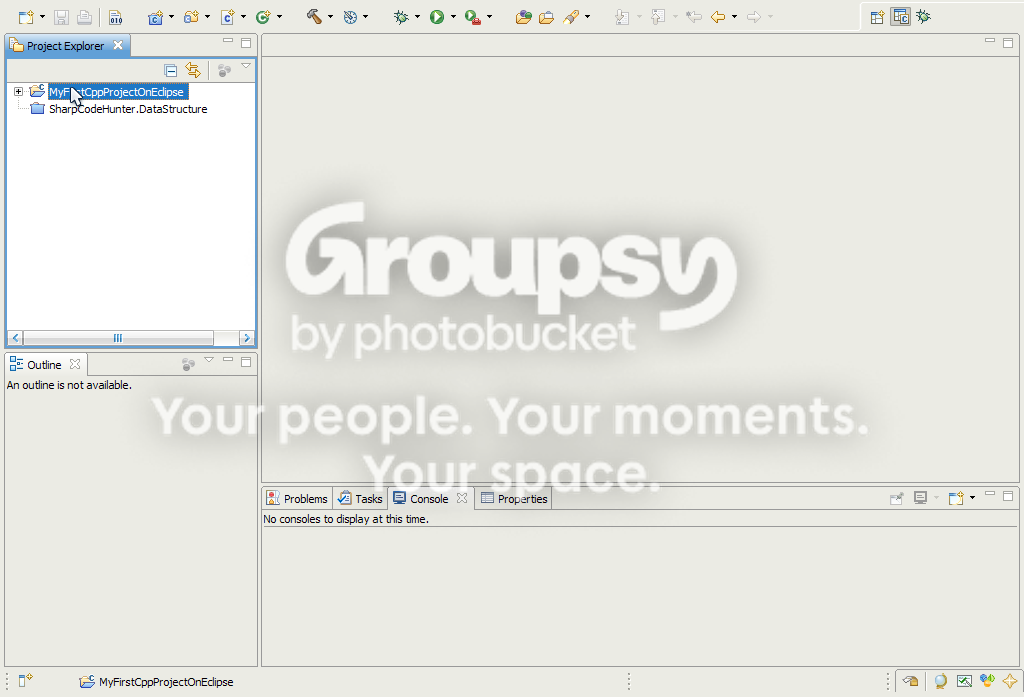
Now, right-click on the project that you have created, then choose New>Source File to create a new C/C++ source file. Enter a name for this file HelloWorld.cpp
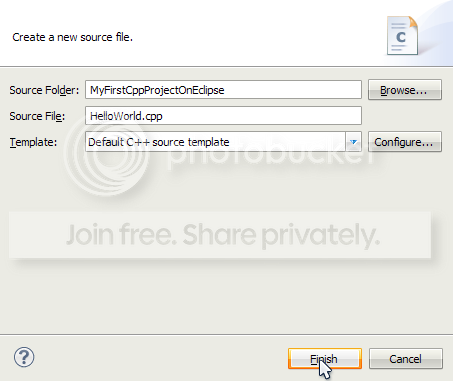
Now write a sample code below...
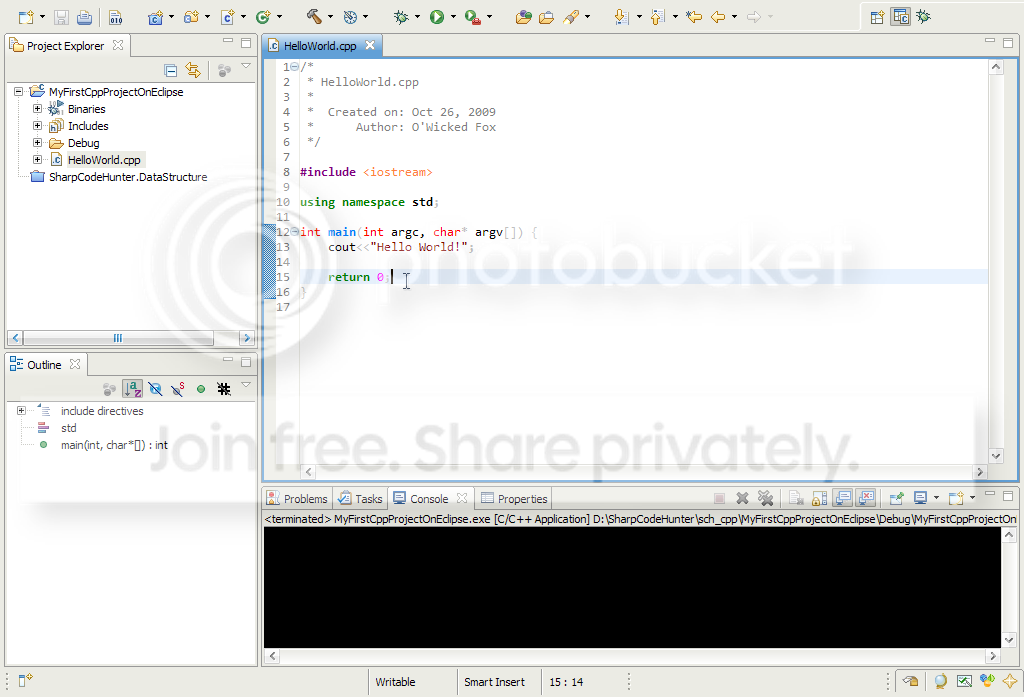
Press Ctrl-S to save the source file and Ctrl+B to build the project. Then click the Ctrl+F11 to execute the project.
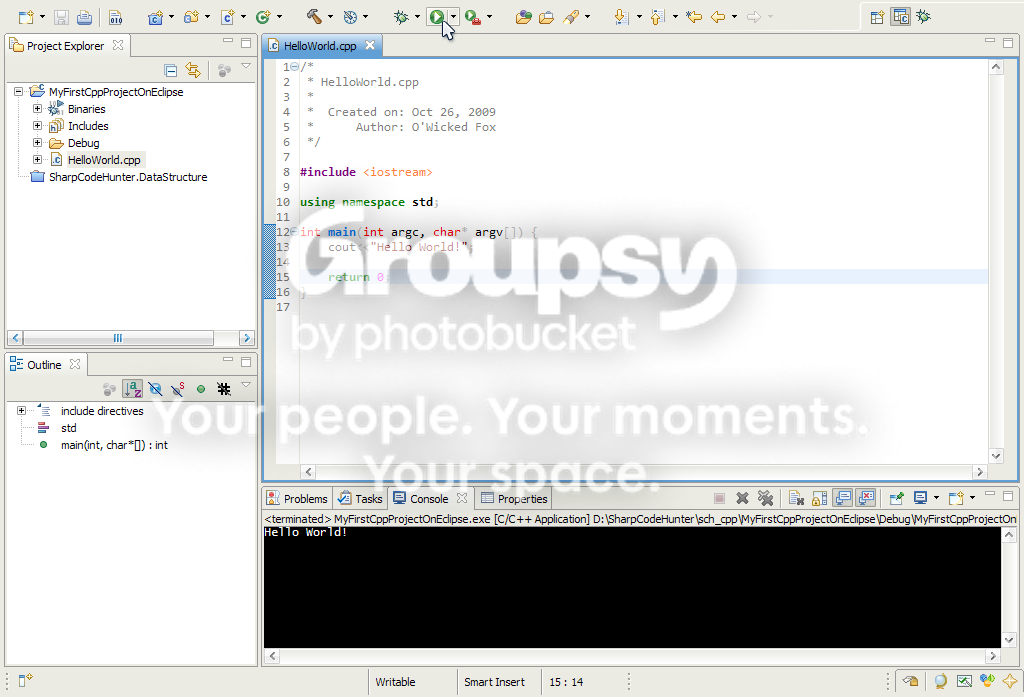
That is all, in next topic, I will show you how to debug the C/C++ application using the MinGW Debugger.
Good luck!


No comments:
Post a Comment